

Client Service Automation A Practical Framework for Evaluating AI Tools and Maximizing ROI
Overview
Introduction: Why Client Service Automation Is No Longer Optional
Picture this. A customer sends a message at 2 AM with a billing question. By the time they wake up, they expect an answer.

Not in three days. Not even in three hours. They expect it now.
That is the reality of doing business in 2026. Client expectations have shifted dramatically. People want fast, personal service that feels human even when it comes through a screen. And they have zero patience for slow responses or repetitive hold music.
The good news? You do not need to hire a massive team to deliver this level of service. The tools already exist. They are affordable. And they are proven.
According to recent AI customer service statistics for 2026, the global AI customer service market has reached $15.12 billion this year, with 88% of contact centers already using some form of artificial intelligence. That is not a future trend. That is happening right now.
Here is the catch. Most companies use AI without fully integrating it into their daily workflows. Only 25% of contact centers have done the hard work of embedding automation across their entire operation. That gap between dabbling and doing is where real competitive advantage lives.
When you use AI the right way, you are not just cutting costs. You are creating faster response times, happier clients, and fewer headaches for your support team. Some businesses are seeing 3.5x to 8x returns on their automation investments. That is the kind of math that gets a CFO excited.
This guide will walk you through a practical, evidence-based framework to evaluate, implement, and optimize AI client service tools. No hype. No jargon. Just a clear path forward.
If you want to stay ahead of the curve, start by exploring the best AI tools for businesses that can transform your support operations today. And for daily updates on what is actually working in the AI space, consider signing up for the The AI Newsletter Worth Reading to get clear, actionable intelligence delivered straight to your inbox.

The Business Case for AI Client Service Automation
To understand why client services automation matters for your bottom line, let us look at the numbers.
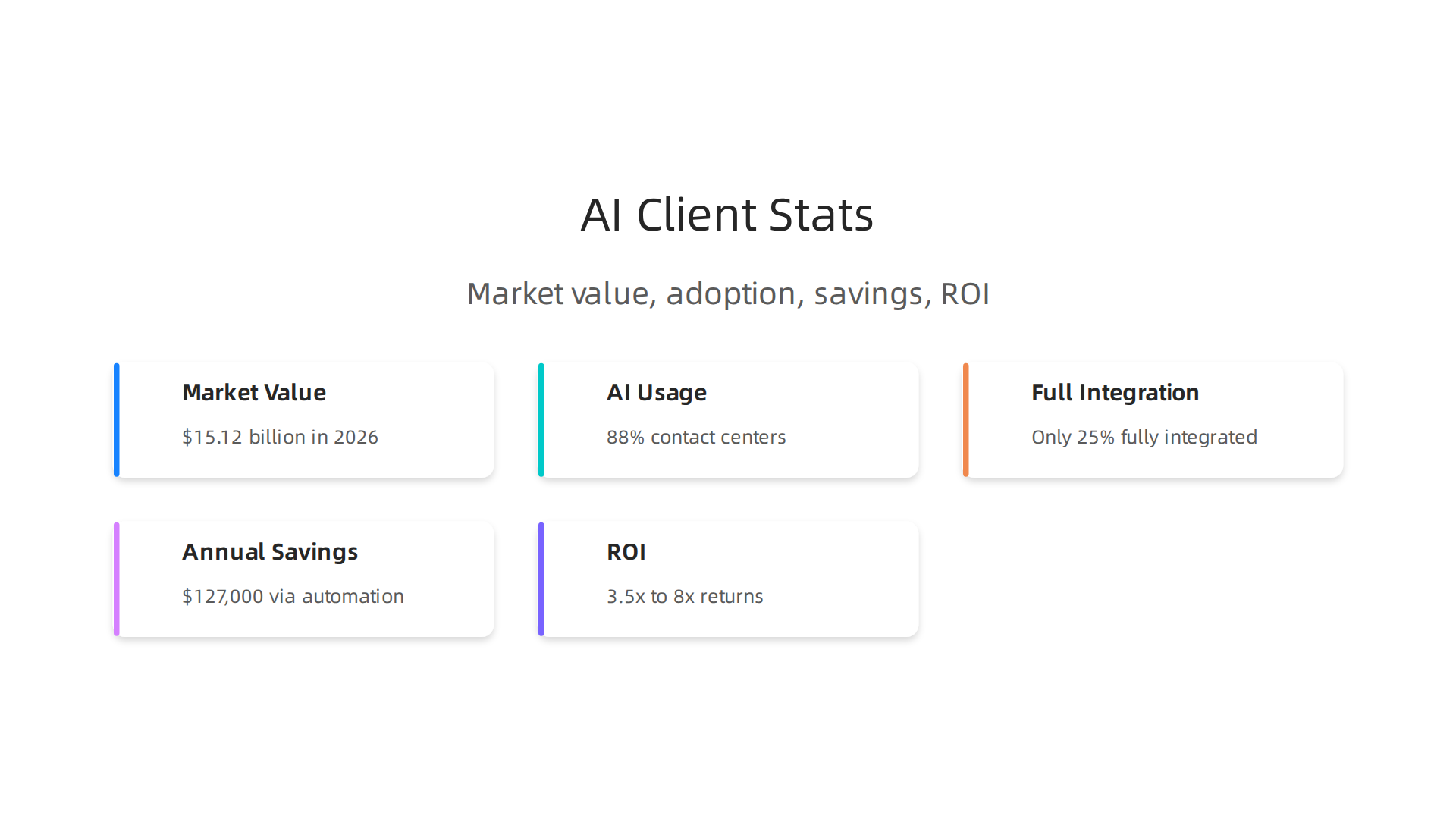
The global AI customer service market has reached $15.12 billion in 2026, and 88% of contact centers now use some form of AI. But here is the thing. Only 25% of those centers have fully integrated automation into their daily workflows. That gap between trying AI and really using it is where the biggest opportunities hide.
Companies that close this gap see serious results. Many businesses report average annual savings of $127,000 through AI-powered ticket automation. That comes from handling 60 to 80% of routine requests without human help. Faster response times lead to happier clients. And happy clients stick around longer.
The return on investment is real too. Some companies see 3.5x to 8x returns on their automation spending according to recent AI customer support statistics. That is the kind of math that makes a CFO smile.
Your team also gets a break. When AI handles the repetitive questions, your support agents can focus on complex problems that need human thinking. This improves job satisfaction and reduces costly turnover.
If you are not sure where to start, explore the best AI tools for businesses that can handle your most common client requests. And for daily updates on what is actually working in the industry, sign up for The AI Newsletter Worth Reading to get clear, actionable intelligence delivered straight to your inbox.
Understanding Client Services Automation: Scope and Definitions
Client services automation sounds technical, but it is really just using software to handle routine customer tasks without needing a human for every step. Think of it this way. When a customer asks the same question for the hundredth time, an automated system can answer it instantly. That saves everyone time.
The scope is broader than just chatbots. Client services automation covers the whole journey of a customer issue. It includes triage (figuring out what the problem is), routing (sending the issue to the right person or team), knowledge base (letting customers find answers themselves), and self-service (allowing customers to take actions like resetting a password or checking an order status). These systems work 24/7 and across channels like chat, email, phone, and social media.
A few core technologies make this possible.
Natural language processing (NLP) helps computers understand what a person is really asking. Machine learning (ML) lets the system get smarter over time by learning from past conversations. Robotic process automation (RPA) handles repetitive back-office tasks like updating records. And generative AI creates helpful replies or knowledge articles on the spot. Together, these tools form the engine behind modern AI customer service automation tools.
The market now offers everything from simple chatbot platforms that answer FAQs to full orchestration suites that manage the entire customer service workflow across departments. For a deeper look at how these technologies fit into a broader AI strategy, check out build strong AI foundations.
So whether you are using artificial intelligence in a call center to route calls or letting a voice bot handle refund requests, client services automation is about one goal: resolving issues faster with less effort from your team.
Core AI Capabilities Reshaping Client Service
Now let us zoom in on three AI capabilities that are changing how client services automation actually works. These are the technical tools for customer service that turn a basic chatbot into a system that really understands people.
Natural Language Understanding Goes Beyond Keywords
Early chatbots just matched keywords. You typed "refund" and the bot sent a canned refund link. That worked for simple questions but failed fast when language got messy.
Natural language understanding (NLU) fixes this. It reads the intent behind the words, not just the words themselves. A customer might say "I need my money back for that order I never got" and the system understands the request is about a refund for a missing shipment. This is a huge leap over old keyword matching. As Salesforce explains in their overview of AI in customer service capabilities, NLU helps AI tools handle complex queries with much higher accuracy.
Predictive Analytics That Prevents Problems
The best support is the one you never need. Predictive analytics uses historical data to spot patterns before a customer even reaches out. The system learns that customers who experience a specific error often abandon their carts 48 hours later. So it proactively sends a fix or a discount offer first.
This turns client services automation from a reactive tool into a proactive one. You can reduce churn simply by solving issues before they become complaints.
Sentiment Analysis Flags Trouble Instantly
Sentiment analysis reads the emotion behind a message. If a customer starts typing in all caps or using frustrated language, the system flags it immediately. A human agent can step in right away, or the bot can shift to a calmer, more careful tone.
IBM’s guide on AI in customer service highlights how this real time emotion detection helps teams intervene at the perfect moment. It prevents small problems from turning into angry reviews or lost customers.
Here is a quick breakdown of how these capabilities compare:
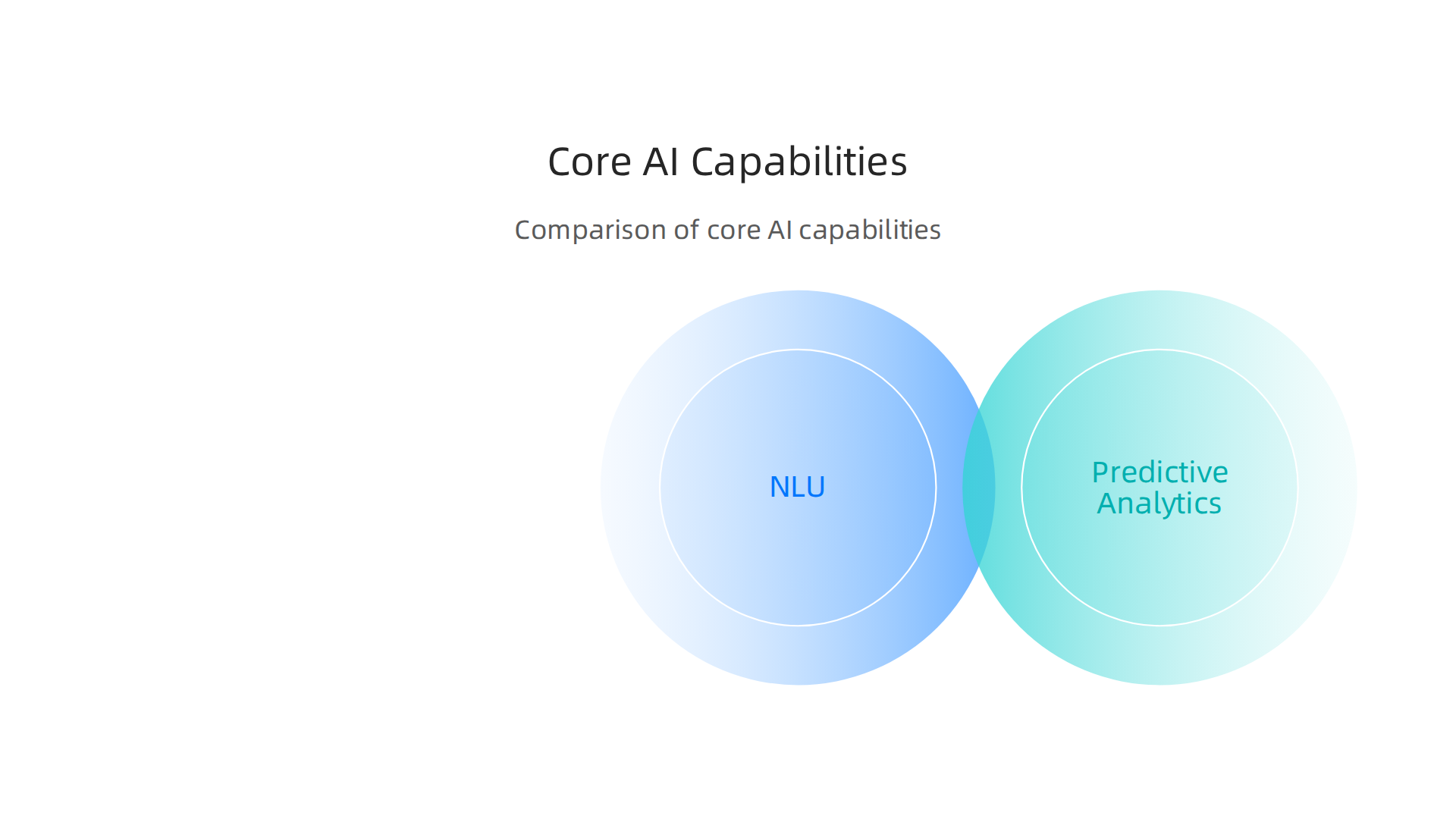
| Capability | What It Does | Real World Use |
|---|---|---|
| Natural Language Understanding | Reads intent and context | Handles complex refund or tech support requests |
| Predictive Analytics | Spots patterns in data | Sends proactive offers or fixes before issues grow |
| Sentiment Analysis | Detects emotion in messages | Flags upset customers for immediate human help |
These three tools work together to make using artificial intelligence in call centers feel less like talking to a robot and more like talking to someone who actually pays attention. For teams looking to stay ahead of trends like these, subscribing to The AI Newsletter Worth Reading delivers daily updates on the tools and strategies reshaping client service.
If you want to build deeper knowledge about how AI fits into larger business systems, our guide on how to learn AI in 2026 walks through a practical roadmap for understanding these technologies from the ground up.
How AI Automation Enhances Client Experience and Retention
When you combine natural language understanding, predictive analytics, and sentiment analysis into one system, you get something powerful. Client services automation does more than just answer questions. It builds trust around the clock.
Personalized, 24/7 interactions set the foundation. Customers expect help whenever they need it, not just during business hours. AI systems deliver that. They also learn from past interactions to tailor each conversation. This reduces friction and makes customers feel understood. According to Primas Group, AI self-service boosts customer satisfaction by providing 24/7 support and personalized responses that make interactions more engaging.
But what about the tough issues? Complex problems still need human help. Smart automation handles this with AI-powered escalation paths. The system recognizes when a conversation gets too complex and smoothly hands it off to a human agent, along with all the context. No repeating yourself. No frustration. Using artificial intelligence in call centers this way keeps resolution times low and satisfaction high.
The result? Client retention rates improve measurably. When issues get solved faster and customers feel valued, they stay longer.

Some teams see double-digit improvements in retention within months of implementing these technical tools for customer service. And better retention does not just protect revenue. It can also create new revenue streams through upsells and referrals.
For teams looking to pick the right tools, our guide on the best AI tools for businesses in 2026 helps you compare options that drive real client experience improvements.
Evaluating Client Services Automation Tools: A Practical Framework
So you know what client services automation can do for retention and revenue. Now the hard part begins: picking the right tool from a crowded market. A structured framework helps you cut through the noise and avoid costly mistakes.
Start with four evaluation criteria.
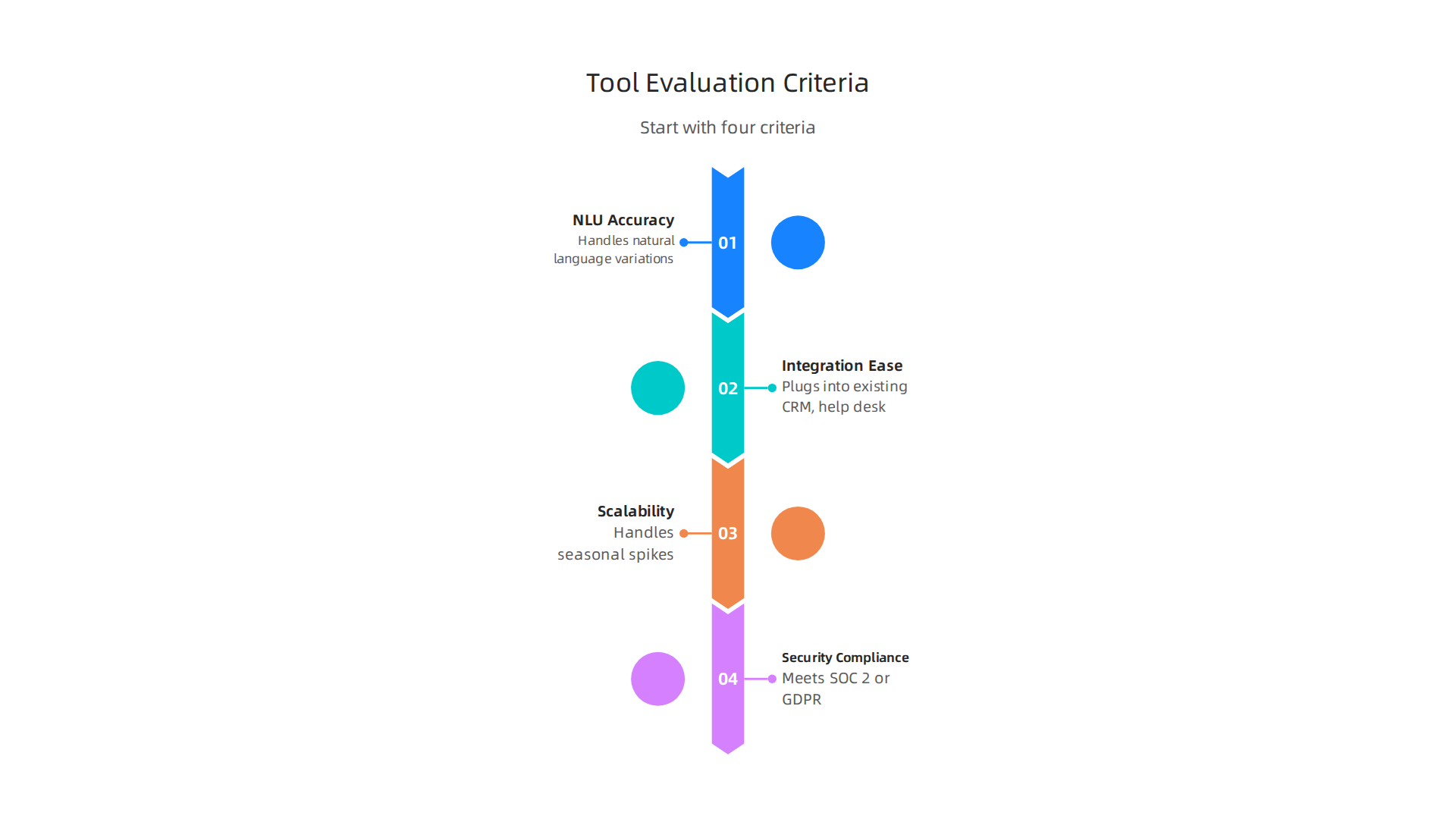
First, NLU accuracy. A chatbot that misunderstands half its queries will frustrate customers, not help them. Test how well each tool handles natural language variations and industry-specific terms. Second, ease of integration. Does it plug into your existing CRM, help desk, and communication channels without custom development? Third, scalability. Can the platform handle seasonal spikes without slowing down or raising costs? Fourth, security compliance. Especially if you handle sensitive customer data, the tool must meet standards like SOC 2 or GDPR.
A comparative table helps you weigh trade-offs across common tool categories:
| Criterion | AI Chatbots | Intelligent IVR | Predictive Analytics |
|---|---|---|---|
| NLU Accuracy | High (with training) | Moderate (scripted) | Not applicable |
| Integration Ease | API-first, plug-and-play | Telephony integration | Requires data pipeline |
| Scalability | Cloud-native, auto-scales | Limited by telephony infra | Scales with compute |
| Security Compliance | SOC 2, HIPAA options | Often enterprise-grade | Varies by vendor |
Remember, no single tool excels everywhere. A chatbot might offer great NLU but weak analytics. A predictive platform may need heavy setup. Your business needs determine the best fit.
Here is the essential step most teams skip: run a trial-based proof-of-concept before signing a long contract. Pick your top two vendors, define a specific use case, and test for two to four weeks. Measure key indicators like first response time, resolution rate, and customer satisfaction scores. As IBM recommends, track AI performance through KPIs such as resolution rates and CSAT to validate real impact. A PoC reveals gaps that demos and brochures hide.
To build team confidence and make informed decisions, invest in AI literacy in 2026. When your team understands how these tools work, evaluation becomes faster and smarter.
For ongoing insights into the AI landscape that can sharpen your tool selection process, consider The AI Newsletter Worth Reading. It delivers clear daily updates so you stay ahead of what works in client services automation.
Implementation Best Practices for AI Client Service Automation
You have selected a tool. Now the real work begins: putting it into practice so it actually delivers value. Following a few proven best practices will help you avoid common pitfalls and get real returns from your client services automation investment.

1. Start with a high-volume, low-complexity use case. Picking the wrong pilot is the fastest way to kill momentum. Instead, look at your support data first. As ChatSpark explains, analyzing your last 1,000 tickets often reveals that five categories account for 60 to 80 percent of total volume. Focus on those first. Think simple tasks like password resets, order status checks, or return policy questions. Automating these quick wins lets you validate ROI fast and build confidence before tackling harder problems.
2. Integrate deeply with your CRM and knowledge management systems. A smart AI is useless if it cannot access customer history and up-to-date answers. The platform needs to pull from your CRM to personalize replies and from your knowledge base to give accurate information. According to Kustomer, the AI effectiveness is directly tied to the quality of the knowledge you feed it. Make sure your knowledge base is modular, up-to-date, and organized around customer intents. Deep integration also means the AI can take action directly, like processing refunds or updating accounts, which creates more value than simple Q&A.
3. Establish clear guardrails for AI fallback to human agents. Here is the rule: every automated interaction must have an easy, well-marked path to a real person. Customers should never be trapped in a bot tunnel with no exit. The Armatis guide warns that a "bot tunnel" with no escape is one of the biggest sources of frustration in 2026. Define exactly when and how the AI hands off based on complexity, emotion, or customer request. And when it does hand off, make sure all context transfers so customers never have to repeat themselves. This blend of speed from AI and empathy from humans is what makes modern support work.
For additional guidance on building reliable AI systems, check out this advice on how to build strong foundations for AI success. It covers the infrastructure and team practices that support long-term automation wins.
Measuring ROI: Key Metrics and Success Indicators
Once your automation is running smoothly, the next question is simple: Is it working? You need to track the right numbers to prove your client services automation is delivering real value. Without measurement, you are just guessing.
Start with the primary metrics. Cost per contact shows how much each interaction costs your business. First-contact resolution (FCR) measures how often you solve a customer’s issue on the very first try. Higher FCR means faster help and happier customers. Average handle time tracks how long each interaction lasts. And customer satisfaction (CSAT) directly tells you if people are happy with the experience. According to the Faye Digital guide on AI in customer service automation, these are the core indicators that reveal how well your automation is performing and where to focus improvements.
Beyond those, keep an eye on secondary metrics. Agent productivity measures how many cases each human agent can handle now that AI covers the routine work. Churn rate shows if customers are leaving because of poor support experiences. Escalation rate tells you how often the AI has to hand a problem off to a human agent. When escalation rates spike, it often means your automation is hitting its limits and needs refinement.
Here is the key step: benchmark your results against industry averages. A 70% first-contact resolution might be excellent in one sector but weak in another. Knowing where you stand helps you set realistic targets and track real progress over time. Without benchmarks, you have no context for your numbers.
For more help on choosing the right automation tools, read this guide on how to find the best AI tools for businesses. And to stay current on AI trends that shape customer service, get The AI Newsletter Worth Reading from The Deep View.
Common Challenges and Pitfalls in AI Client Service Automation
Measuring success is one thing. Avoiding the common traps is another. Even the best client services automation plans can fail if you overlook a few critical issues.

Start with data. Your AI is only as smart as the information you feed it. If your knowledge base has outdated product details or messy records, the AI will give wrong answers. And integrating AI with older systems like legacy CRMs can be a serious headache. The customer service automation guide for 2026 notes that integration headaches are a top barrier. Make sure your platform supports native connectors to avoid this.
Next, watch out for over-automation. It is tempting to let bots handle everything. But customers who need empathy, patience, or a human touch will get frustrated fast. Always offer a clear path to a live agent. No bot tunnels with no exit. Over-automation can create impersonal experiences. Use a hybrid model where AI handles routine tasks and humans step in for complex or emotional issues.
Finally, do not ignore privacy laws. Regulations like GDPR in Europe and CCPA in California set strict rules on how you collect, store, and use customer data. Your automation must be transparent about data usage and give users control over their information. Ignoring compliance can lead to hefty fines and lost trust.
To choose tools that avoid these pitfalls, check out this guide on generative AI solutions for business. Picking the right platform from the start can save you from many of these headaches.
Future Trends in Client Service Automation (2026–2027)
The world of client services automation keeps evolving fast. Several big trends will shape how businesses use AI to support customers through 2027.
First, generative AI is powering smarter conversational agents. These bots handle complex, multi-step inquiries like processing refunds, updating orders, and sending confirmations in one go. They understand context, not just scripts. According to AI customer support statistics and trends for 2026, autonomous AI agents are replacing legacy chatbots, and 80% of routine interactions will be fully handled by AI this year.
Second, voice-based AI assistants are becoming natural and widely adopted. Customers can speak to a bot and get human-like responses. Voice AI is the next big frontier in support.
Third, predictive and prescriptive analytics turn support from reactive to proactive. AI spots issues before customers complain and suggests the best action. This transforms service into a growth driver.
To stay on top of these changes, get daily AI updates from The AI Newsletter Worth Reading. And for practical tool recommendations, check out our list of best AI tools for businesses to maximize your efficiency in 2026.
Summary
This article explains why client services automation is essential in 2026 and guides teams through evaluating, implementing, and optimizing AI-powered customer support. It covers the business case—including market size, common ROI figures, and typical cost savings—defines the scope of automation (triage, routing, self-service, knowledge bases), and highlights three core AI capabilities that matter: natural language understanding, predictive analytics, and sentiment analysis. You’ll learn a practical framework for choosing tools (NLU accuracy, integration, scalability, security), how to run short proof-of-concept trials, and implementation best practices like starting with high-volume simple use cases and building deep CRM integrations. The guide also lists the key metrics to track (cost per contact, FCR, CSAT, escalation rate), common failure modes to avoid (bad data, over-automation, compliance issues), and the major trends shaping support through 2027 so you can turn automation into faster service, happier customers, and measurable business results.