

Best AI Search Engine for Research Our Top 10 Comparison
Overview
Introduction: Why the Best AI Search Engine Matters for Your Research Workflow
Picture this. You need the latest data on a new AI model or a competitor’s funding round. You open your browser, type a query, and get back a wall of blue links. Some are ads. Some are outdated. You click through five pages and still do not have a clear answer. Twenty minutes gone.
Sound familiar?
Information overload hits hard in 2026. Every day brings new research papers, product launches, and investment announcements across the AI space.

The right discovery tool changes everything. A quality search engine can pull the exact insight you need in seconds instead of minutes. The wrong one just adds noise to your day.
The market for AI-powered search has grown fast over the past year. Platforms like Perplexity, ChatGPT Search, and Google’s AI Mode now process hundreds of millions of queries every month. One tester shared their experience comparing the top options in an article that tested the top 5 AI search engines in 2026. The key finding? These tools differ sharply in depth, accuracy, and speed. Some give you quick facts in under a second. Others spend several seconds thinking to produce deep, cited answers.
Not all engines are built the same.
That is why we created this listicle. We compared the top 10 AI search engines using real performance data, feature sets, and practical use cases. Whether you are a founder tracking market signals, an investor researching startups, or an operator looking for the best AI tools for businesses, picking the right search engine saves real time every week.
Our goal is straightforward. Help you find the best fit so you can stop wrestling with search and start acting on what you find.
And if you want to keep your edge on AI trends without digging through dozens of sources every morning, subscribe to The AI Newsletter Worth Reading for clear daily updates straight to your inbox.
1. Defining the Criteria: What Makes an AI Search Engine the Best for Research?
So what really separates the best AI search engine from the rest? After testing dozens of tools and digging into performance data, we narrowed it down to four core pillars: accuracy, timeliness, source transparency, and depth of summarization.
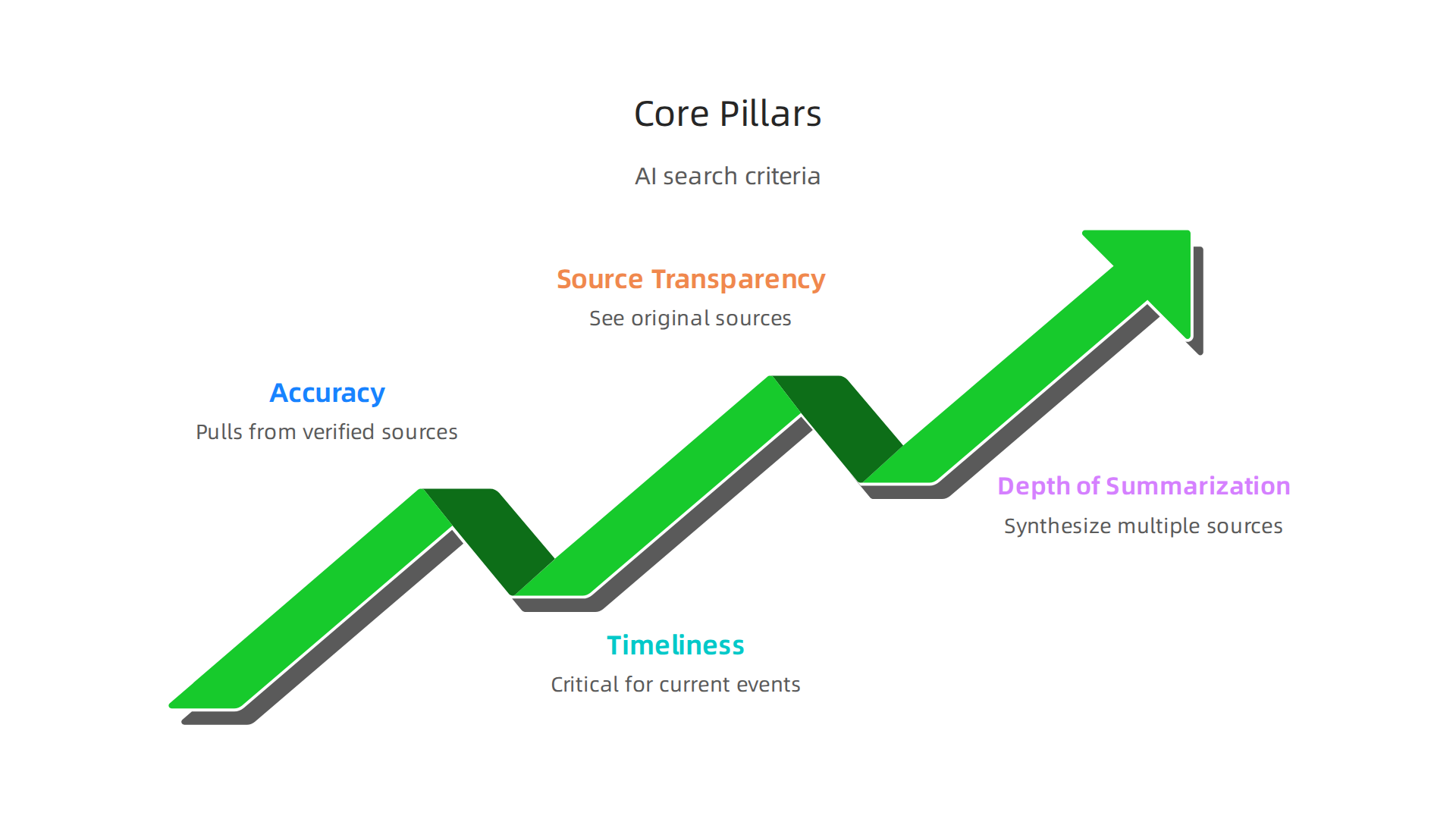
Accuracy is the non-negotiable. An answer that looks right but is wrong wastes your time and can lead you to bad decisions.

The best engines pull from verified sources and let you check their work.
Timeliness matters just as much, especially when you are tracking funding rounds or product launches. Old data is dangerous data.
Source transparency means you can see where every fact comes from. A growing engine called Perplexity has made this its trademark, but many platforms now follow similar standards. One detailed test of AI search engines emphasizes that being able to click through to original sources is a must-have.
Depth of summarization is the fourth pillar. Surface-level answers might work for a quick fact, but research requires synthesis across multiple sources. Good engines summarize without losing nuance.
These criteria line up closely with what users and experts consistently highlight in satisfaction surveys. And if your main goal is commercial intelligence such as finding the next startup to invest in or tracking a rival’s market moves, you need a search engine that pulls news fast and cites it clearly.
Before we dive into the rankings, you might also find our guide to the best AI tools for businesses helpful as you think about which platforms fit your workflow.
And if you want to stay ahead of every shift in the AI landscape without spending hours reading, get clear daily updates from The AI Newsletter Worth Reading.
2. Perplexity AI: Real-Time Research with Cite Tracing
Have you ever tried to figure out which AI startup just raised a big round? You end up opening five browser tabs, scanning press releases, and still feel unsure. Perplexity AI solves that in seconds.
Perplexity is designed as an AI-powered answer engine. You type a question in plain language, and it returns a direct answer with numbered citations next to every claim. No more guessing where the info came from. According to one full breakdown, Perplexity’s main strength is pulling facts from the web in real time and showing you the source right there.
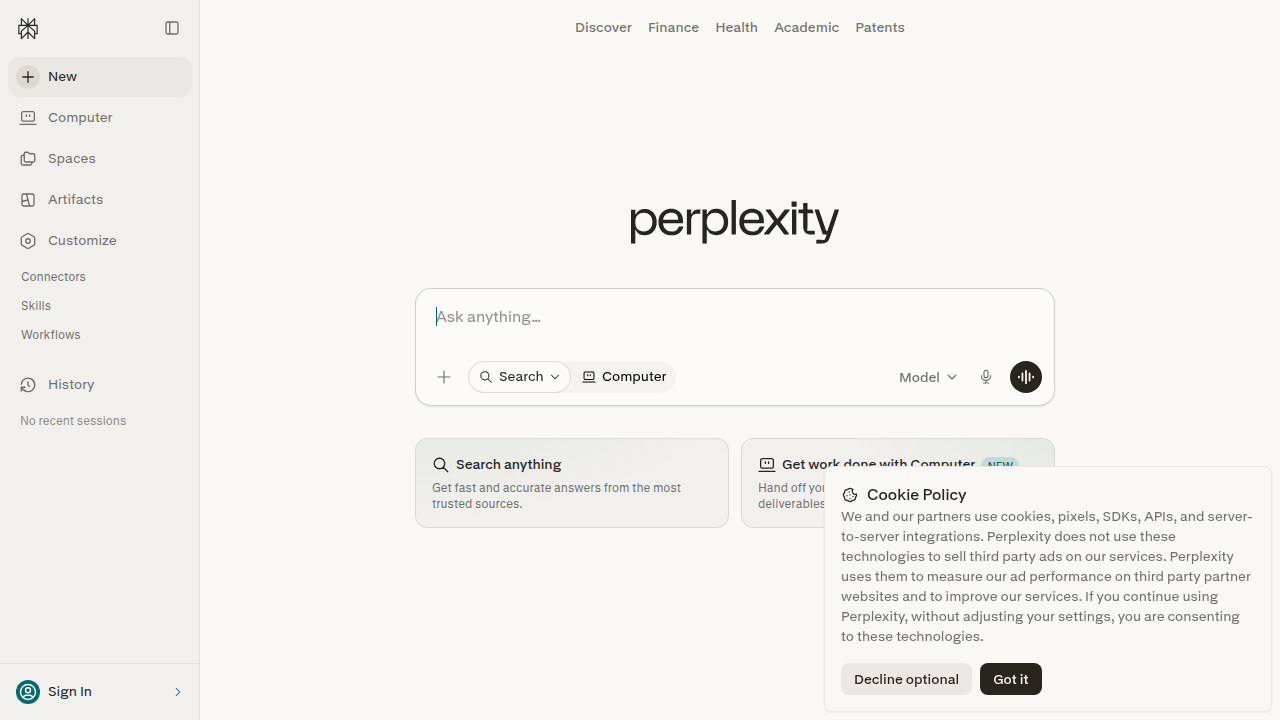
This makes it a strong contender for the title of best AI search engine for research.
The Focus feature lets you narrow your search to specific areas. Need academic papers? Switch to Academic mode. Want only news or financial data? Pick Web mode. That control saves time when you are tracking funding announcements or investor moves.
Venture capitalists and startup operators have embraced Perplexity for exactly this reason. It turns hours of manual searching into a two-minute conversation.

You can ask about recent Series A deals in generative AI and get a structured table with links to each company’s announcement.
For more context on how funding signals work in practice, check out this look at private equity AI deals hitting record levels.
Think of Perplexity as your personal research assistant that never sleeps. It pulls from across the web, evaluates sources, and gives you a clean answer you can verify instantly. That is why it ranks so high on our list.
3. ChatGPT Search: Conversational Depth with GPT-4o Context
Now let’s talk about another major contender for the title of best AI search engine. ChatGPT Search, built on OpenAI’s GPT-4o model, takes a different approach than Perplexity.
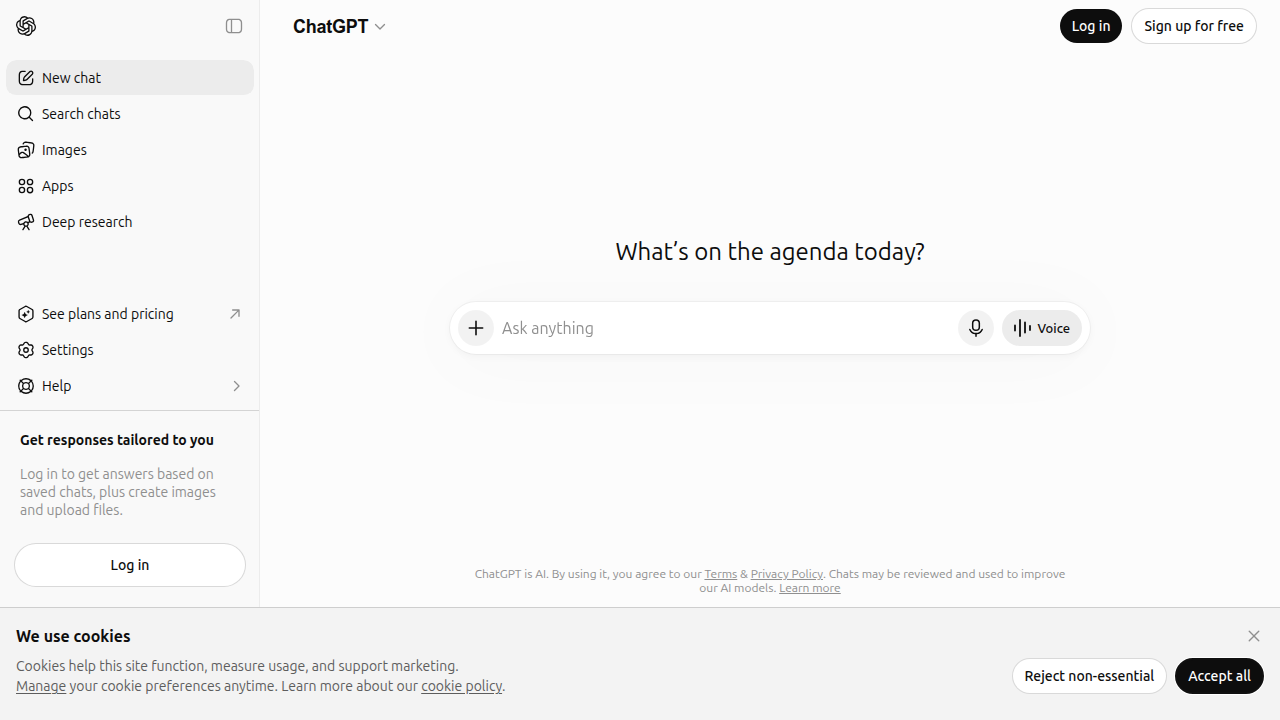
Instead of being purely a research assistant, it feels more like having a smart conversation with someone who can also browse the web.
The real magic here is conversational depth. You can ask a follow-up question like "What are the main risks in that technology?" and ChatGPT remembers your entire thread. It doesn’t just give you a list of links. It explains things in natural language, breaks down complex ideas, and even admits when it is unsure. That makes it excellent for deep dives into specific technologies and competitive analysis.
For example, you could ask about the differences between two AI chip architectures and get a detailed comparison in plain English. ChatGPT Search will pull real-time data from the web (if you have the Plus subscription) and weave it into a flowing answer. As one detailed comparison of search tools points out, ChatGPT is better for making text responses, while Perplexity shines on source transparency. So they serve slightly different needs.
There is one catch. To get real-time web search results inside ChatGPT, you need a ChatGPT Plus subscription. That costs $20 per month. For budget-conscious teams or solo researchers who only need occasional web lookups, that monthly fee can feel like a barrier. The free version of ChatGPT still gives you great conversational AI, but without live web data, it falls short as a search engine.
If you are doing competitive research on which AI companies are gaining traction, you can pair ChatGPT Search with our guide to top AI companies in 2026 to spot trends faster. And for daily AI updates and market intelligence, consider subscribing to The AI Newsletter Worth Reading. It delivers clear, concise briefs so you never miss a funding signal or technology shift.
4. Google Gemini: Leveraging the Knowledge Graph for Context
Google Gemini brings something unique to the search conversation. Instead of just scanning web pages, it taps into Google’s Knowledge Graph. That is a massive database of facts about people, places, companies, technologies, and how they all connect. So when you ask about a startup or a tech trend, Gemini doesn’t just give you text from a few articles. It pulls from a structured web of real-world relationships.
This makes Gemini incredibly useful for background research. Say you want to learn about a fledgling AI company and its competitors. Gemini can map out the industry, connect funding rounds to key investors, and show you the bigger picture. It works a bit like a research assistant that already knows a lot about the world.
Early on, some people worried about accuracy. The first versions of Gemini made mistakes. But Google has been updating it steadily. By 2026, those rough edges have smoothed out. Google is all in on Gemini, so improvements keep coming. You can use it with confidence for tasks like company vetting or technology deep dives.
If you want to see how Gemini fits into your overall toolkit, you might also look at how to find the best AI tools for businesses to maximize your 2026 efficiency. That guide covers the full landscape, not just search.
Another perk is that Gemini is available inside tools like Perplexity Pro. As one Perplexity AI review notes, you can switch between models including Gemini Pro right in the search interface. So you get the best of both worlds: Gemini’s rich context and Perplexity’s citation style. That flexibility makes it easier to choose the best AI search engine for each specific question you have.
5. Microsoft Copilot: Enterprise-Grade AI Search & Summarization
Microsoft Copilot, previously known as Bing Chat, is built for professionals who need more than simple answers.

It is deeply integrated into Microsoft 365, connecting directly with your emails, documents, meetings, and calendar. This makes it a strong choice for the best ai search engine inside enterprise workflows.
For example, an analyst can ask Copilot to summarize a long email thread, extract key decisions, and cite the exact messages. Or they can compare financial reports and highlight differences side by side. The tool provides clear citations for every piece of information, which is critical for trust and verification.
Microsoft’s May 2026 update for Copilot highlighted new features like document summaries, personalization, and writing suggestions directly in Word, along with slide explanations in PowerPoint. These additions make it even more useful for knowledge workers who handle large volumes of content daily.
Because Copilot runs on Microsoft’s massive Azure cloud infrastructure, you get low latency and high availability even during peak hours. You never sit waiting for answers. And since it understands your organizational context through Microsoft Graph, it delivers results that generic search engines cannot match. This is especially valuable for research teams and analysts who need fast, context-rich responses.
If you are curating your AI toolkit this year, check out how to find the best AI tools for businesses to maximize your 2026 efficiency. That guide covers the full landscape of options across different use cases.
To keep up with rapid changes in tools like Copilot, consider subscribing to The AI Newsletter Worth Reading. It delivers clear daily updates so you never miss important developments.
6. You.com: Privacy-Focused AI Discovery
You.com takes a different path from the enterprise tools we just covered. Its main promise is simple: you get powerful AI search results without giving away your personal data. For anyone worried about privacy, this matters a lot.
The platform offers different search modes. The standard mode works like a typical search engine but with AI summaries on top. The "Genius" mode is designed for deeper research. It lets you ask complex questions and get thorough answers with sources attached. This makes it a strong option for analysts, researchers, and anyone who needs reliable information fast.
You.com has become popular with security-conscious professionals, including people working at hedge funds and other firms where data privacy is critical. They want the benefits of an AI search engine without exposing their search history or sensitive queries.
A key difference from tools like Microsoft Copilot is that You.com does not tie into your work email or documents. That lack of integration is actually a feature for some users. They want search results that are not influenced by their personal data.
The Genius mode is especially useful for comparing information across multiple sources. You can ask it to analyze different viewpoints on a topic, and it will pull from the web with clear attribution. This saves time compared to clicking through dozens of links yourself.
If you want to explore more ways to use AI in your work, check out this guide on generative AI solutions for business. It covers how to pick the right tools for your specific needs this year.
7. Brave Search AI: Independent Indexing Meets AI
Brave Search AI offers something most other tools do not. It runs on its own search index, completely separate from Google and Bing. That independence matters if you want results that are not shaped by the big players’ algorithms or business interests.
The AI summaries here are built with transparency in mind. When you get an answer, you can see exactly where the information came from. And if you value privacy, Brave gives you an optional mode that keeps your searches completely anonymous.
For researchers and curious readers, this tool helps you avoid filter bubbles. You see a wider range of sources without the same personalization that can narrow your perspective over time. Plus, you pay for fewer ads. Brave’s model means less tracking and fewer sponsored results cluttering your screen.
If you are looking for an ai answers free experience that still delivers high quality, Brave Search AI is worth testing. It combines the independence of its own index with the convenience of an llm ai layer on top. The result is a cleaner, more transparent way to find information.
Staying on top of the best ai search engine tools can be tough with so many new releases each month. For clear daily updates on the AI space, check out The AI Newsletter Worth Reading. It helps you cut through the noise without the fluff.
8. Komo AI: Speed-First AI Search Engine
You type a question and hit enter. Then you wait. And wait. That moment between asking and getting an answer feels like forever when you are in a hurry. Komo AI was built to kill that wait time.
This tool focuses on speed above almost everything else. Most queries return results in under a second. No spinning wheel. No loading bar. Just the information you need right then. If you do quick fact checks all day or jump between dozens of searches, that speed saves you real time.
Komo AI offers unlimited searches on its free tier. That matters if you are a heavy user who does not want to hit a paywall after 50 questions. You can treat it like a daily driver for casual browsing and research without worrying about limits.
The trade off is depth. Komo is still maturing when it comes to how it summarizes information. For deep research or complex questions that need nuanced answers, you may want a tool with more robust analysis. But for quick fact finding, it works great.
The engine runs on generative AI and gives you a private, ad-free experience. You do not get tracked or interrupted by ads. The result is a clean, fast, and focused search session every time.
If you care about speed and want a free AI search tool you can pound on all day, Komo AI is worth a look. It is a solid option in the best ai search engine space for 2026.
For more hands-on comparisons of AI tools, check out this guide on how to find the best AI tools for businesses to maximize your efficiency.
9. iAsk AI: No-Frills, High-Accuracy Research Assistant
You need a quick fact. You open a search engine and get back pages of links. You click, scan, click again. It wastes time. iAsk AI skips all that.
This tool delivers direct answers with citations. No fluff, no extra features. You ask a question, and it gives you a clean, backed-up response. It is built for people who want information fast without sifting through clutter.
What makes iAsk AI stand out is accuracy. In independent tests, it scores high over and over. That is rare for a free service. You can trust the answer you see because the source is right there.
And here is the best part: it is completely free with no login required. You do not need to create an account or hand over your email. Just open the page, type, and go. That low barrier makes it perfect for quick research on the fly.
If you are looking for the best ai search engine for straightforward fact-checking, iAsk AI is a strong choice. It focuses on one thing and does it well. No AI chat, no image tools, no complexity. Just reliable llm ai answers.
For a deeper look at how to pick the right AI tool for your needs, check out this guide on how to build AI strong foundations for lasting success in 2026.
Want to stay on top of all the latest AI tools and trends without the noise? The AI Newsletter Worth Reading delivers clear daily updates straight to your inbox.
10. How to Choose: Matching the Best AI Search Engine to Your Workflow
By now you have seen nine different AI search engines. Each one has its own strength. But the best ai search engine for someone else might not be the best for you. Here is how to find your match.
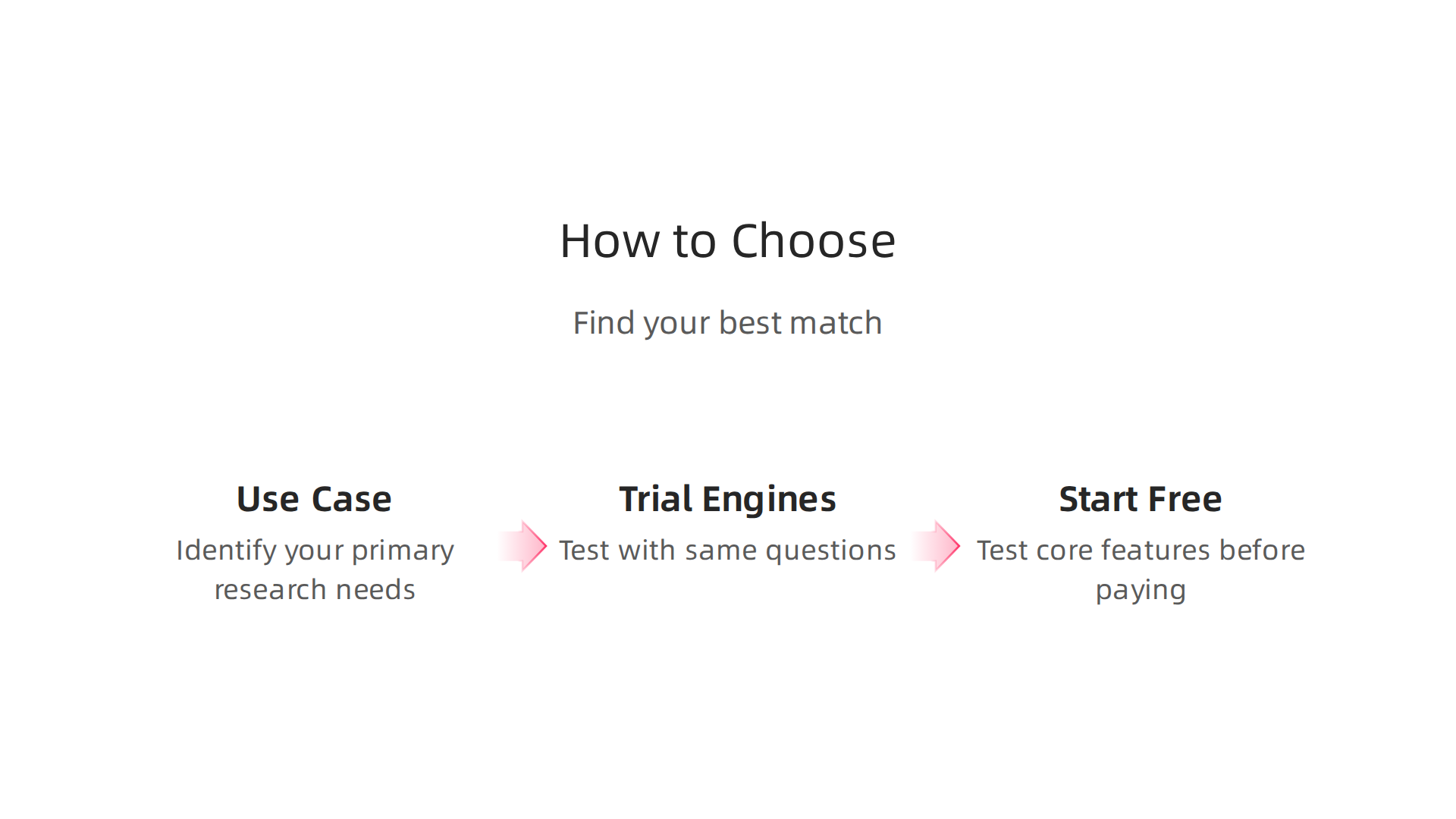
Start with your primary use case. Are you tracking funding alerts? Maybe you need a tool that scans for startup announcements daily. Are you monitoring competitors? Then you want an engine with strong citation features so you can verify claims. Deep tech analysis? You may need an engine that can handle complex queries and pull from academic sources. A detailed comparison of top alternatives for 2026 can help you weigh those trade-offs.
Next, trial multiple engines for at least a week. Use the same five research questions in each one. See which gives you the most useful answers. Pay attention to source quality and how fast you get the information you need.
Always start with free tiers. Most engines let you test their core features without paying. Use that time to figure out which tool covers your gaps. Only upgrade when you know a paid plan saves you enough time or delivers insights you cannot get elsewhere.
If you need a broader framework for choosing AI tools that fit your daily work, check out this guide on how to choose the right AI tools for your business in 2026.
The best ai search engine is the one you actually use. Pick one that makes your research faster, not one that looks flashy.

Test a few, trust your gut, and you will find the right fit.
Summary
This article compares the top AI search engines of 2026 and shows how to pick the right one for research workflows. It defines four practical criteria—accuracy, timeliness, source transparency, and depth of summarization—and uses those pillars to evaluate tools like Perplexity, ChatGPT Search, Google Gemini, Microsoft Copilot, You.com, Brave Search AI, Komo, and iAsk. Each engine’s strengths and trade-offs are explained (e.g., Perplexity for cited facts, ChatGPT for conversational context, Copilot for enterprise data), plus notes on privacy, speed, and cost. The piece explains how to run simple trials, which use cases map to which tools, and why choosing the right engine saves hours and reduces decision risk. Readers will finish able to shortlist 2–3 engines to test, know which features to prioritize, and follow a practical checklist for upgrading from free plans when the tool proves its ROI.